Server alerts, delivered directly to Slack.
Instant Alerts
Know immediately when a server goes down or resource usage spikes.
Channel Specific
Route each alert to the channel of your choice.
Secure & Scoped
We only request permission to post messages.
How to integrate
Get up and running in less than 2 minutes.
Connect via Dashboard
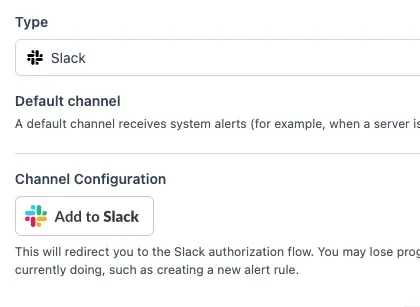
Log in to your Simple Observability account and navigate to the Channels page. Click "Add Channel", select Slack, and click the "Add to Slack" button.
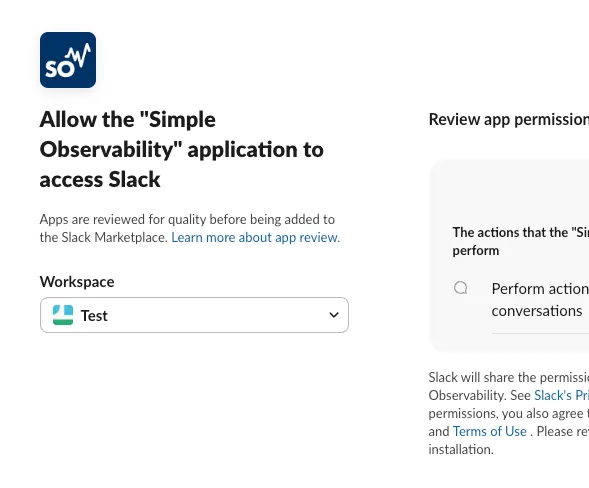
Authorize & Select Channel
You will be redirected to Slack to approve the integration. Once approved, you'll return to our dashboard.
Simply enter the name of the Slack channel where you want alerts to appear (e.g., alerts-prod).
Invite the Bot
Almost done! Go to your chosen channel in Slack and run the invite command to allow the bot to post:
invite @SimpleObservabilityNeed help setting up?
Check our documentation for a detailed guide routing alerts to Slack.