Monitor your servers with one single command.

Powerful monitoring, without the setup complexity. No configuration headaches. Clear fixed pricing.
curl -fsSL https://simpleobservability.com/install.sh | sudo bash -s -- <SERVER KEY>
Get Started
No credit card required

Native support for Windows and all major Linux distributions

Windows
Linux
Ubuntu
Debian
ArchLinux
Alpine
Simple setup

Set up monitoring in under 2 minutes

Install the agent in one command, configure everything from the web UI, and start receiving metrics and logs instantly.

01

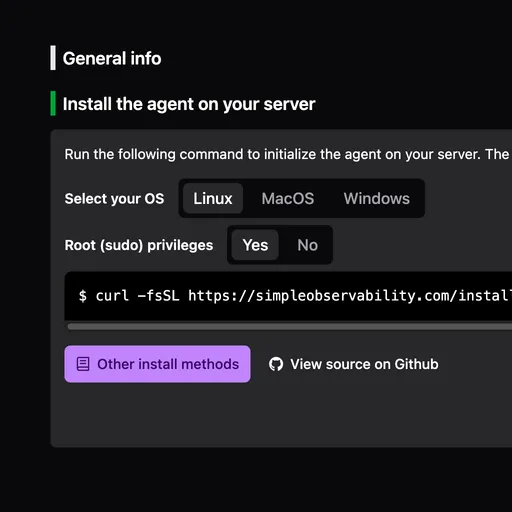
Install the agent

Install our open-source agent with a single command.
UI install process
02

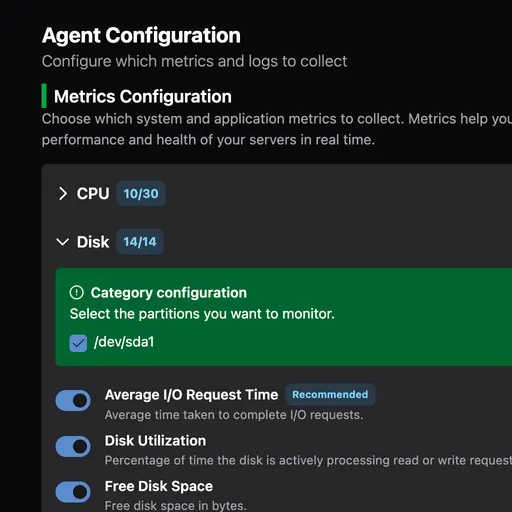
Configure from the UI

Manage everything from the web interface. No config files needed.
UI config process
03

Get instant insights

Access ready-to-use reports and alerts.
UI process done
Features

Infrastructure OS

A unified platform to monitor your entire server fleet.

Infrastructure monitoring

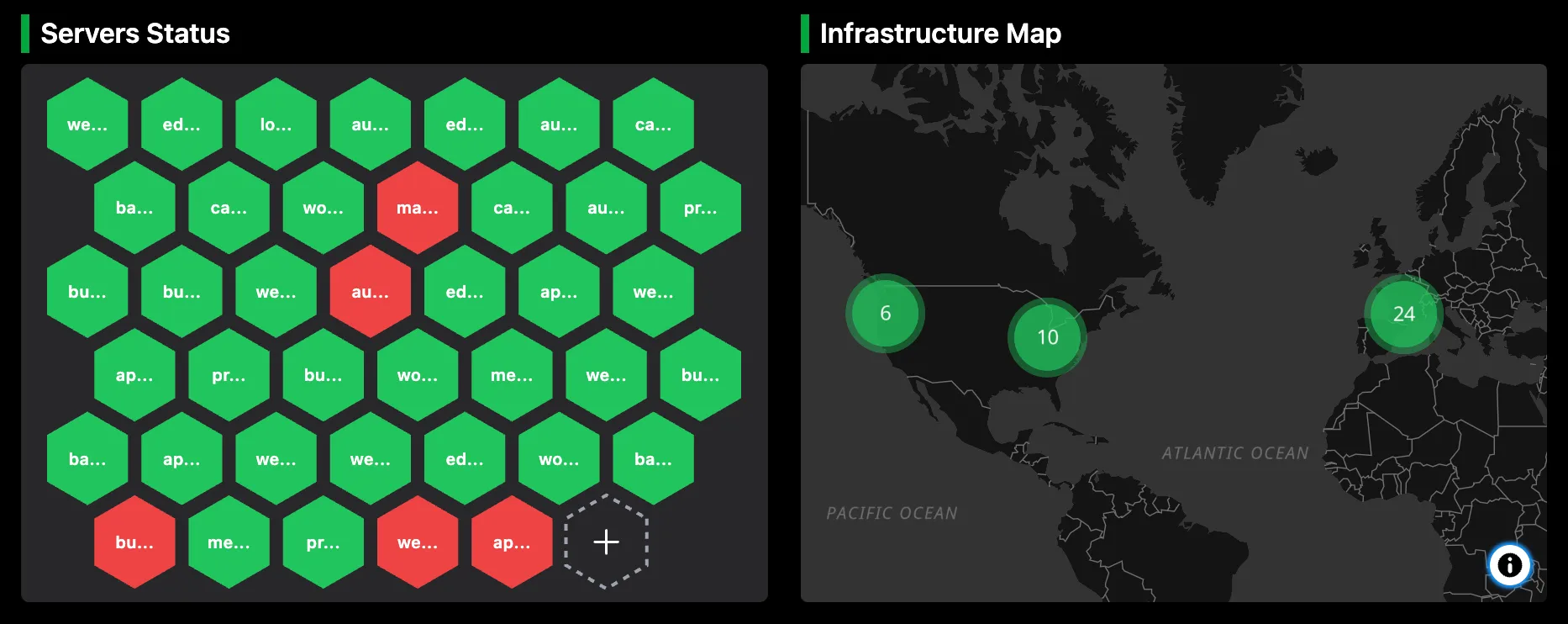
Hybrid infrastructure monitoring

Monitor your entire fleet across cloud providers and on-premise servers from a single dashboard. The lightweight agent ships as a single binary with zero dependencies, supporting both Linux and Windows without complex installation steps.

Metrics

Server and application metrics

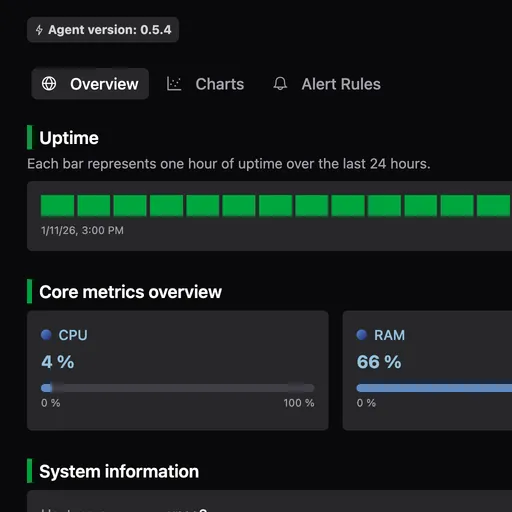
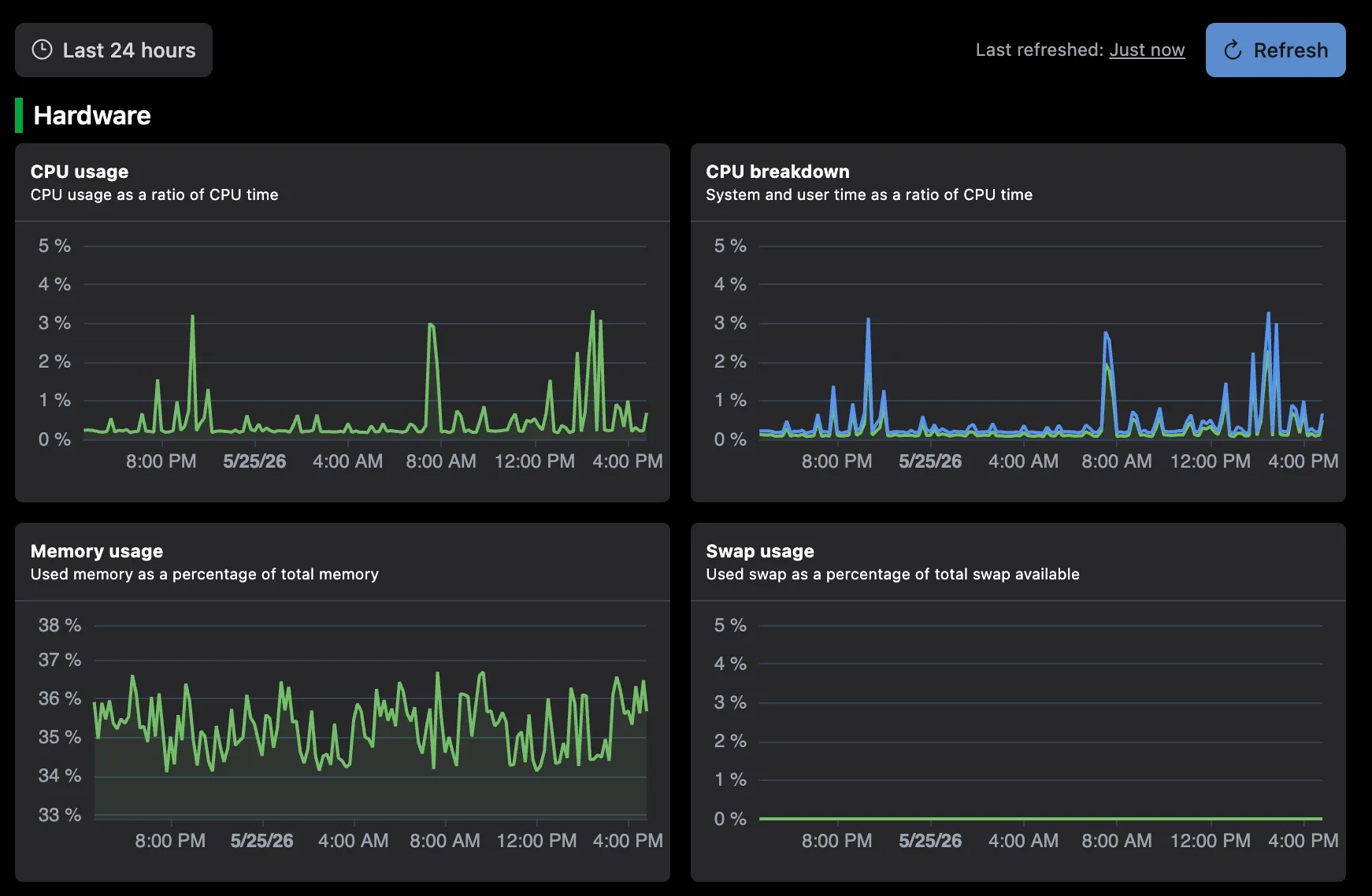
Track core server metrics like CPU, memory, disk I/O, and network traffic. The agent also automatically detects and monitors common services like NGINX, Apache, PHP-FPM, and others. Dashboards are instantly populated with predefined default charts, providing a clear overview of infrastructure health.

logs

Centralized logs

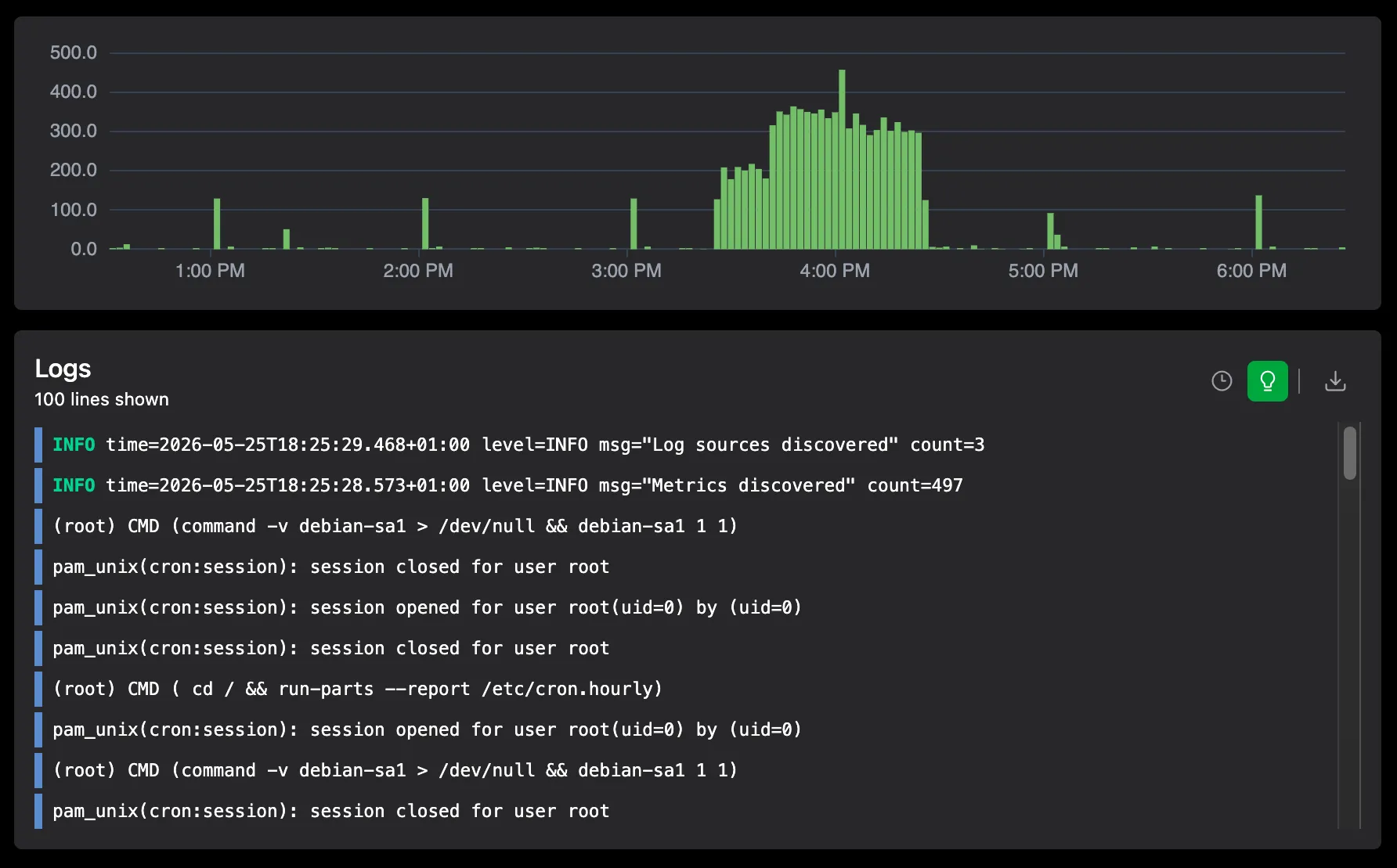
Aggregate logs from Linux systemd-journal, Windows event logs, and web servers into a single, searchable interface. Instead of manual log tailing via SSH, you can filter and search across your entire fleet.

cron

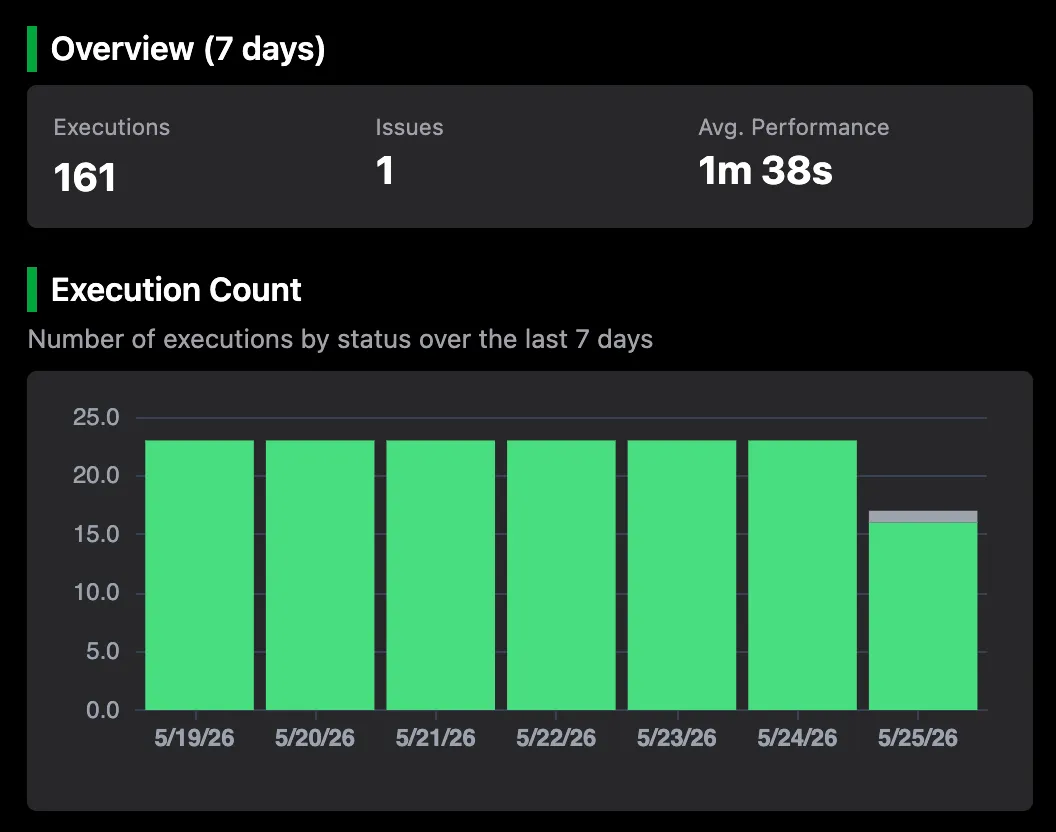
Cron job monitoring

Monitor the execution of scheduled tasks and background workers by wrapping your scripts with the simob agent. You can track execution status, run duration, and capture output logs for every run. Unlike standalone heartbeat monitors, simob provides the server resource context at the exact time of execution, helping you determine why a job failed.

alerts

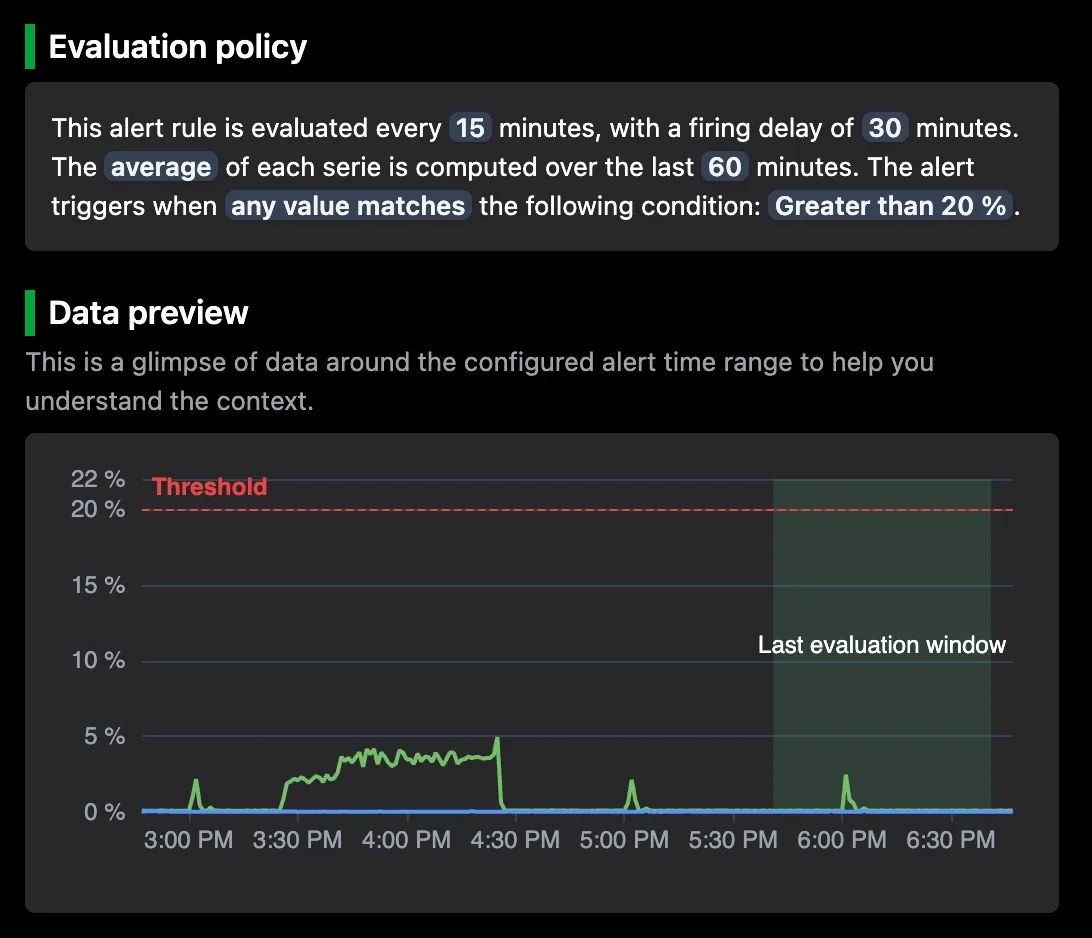
Alerts

Configure notifications from scratch or using a catalog of preconfigured alert templates for common services. Alerts are delivered via Slack, Discord, Pagerduty, or email, ensuring you are notified about critical issues without having to build a custom alerting stack from scratch.

Showcase

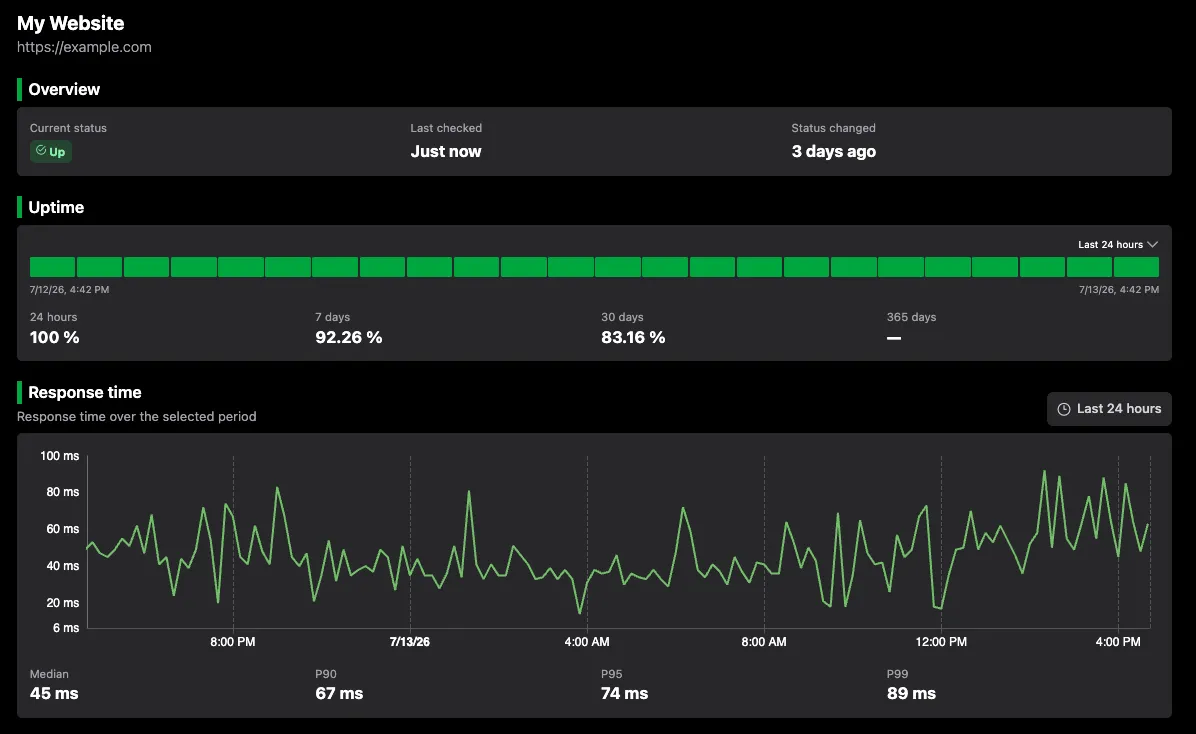
A look inside Simple Observability UI

Instantly see how Simple Observability helps you monitor and troubleshoot, all from a single UI.

Open Source & Transparent Agent

Our open source agent collects logs and metrics from your servers. You can audit the code, see exactly what it collects, and build it from source.

Using your own Prometheus or Loki?

Maintain full data ownership with our BYOS plan.

Learn about BYOS

Works with your entire stack

Simple Observability comes with dozens of built-in integrations for your favourite tools. Zero configuration required, just toggle and go.

Caddy
Caddy
CPU
Disk
Memcached
Memcached
Apache
Apache
Memory
Network
PHP-FPM
PHP-FPM
Apache logs
Apache logs
Journal logs
Journal logs
NGINX logs
NGINX logs
Windows Event logs
Windows Event logs
NGINX
NGINX
View all integrations

Simple Monitoring. Simple Pricing.

Pricing starts at $3/month. No hidden fees, no complexity. Just predictable costs that scale with you.
See pricing

Frequently Asked Questions

Why does server monitoring matter?
Because without it, issues go unnoticed until they become critical. Monitoring lets you spot performance bottlenecks, detect errors early, and ensure your systems and applications stay reliable. With Simple Observability, you get real-time insight into logs and metrics so you can act before problems impact your services.
What are the requirements to run the collection agent?
The Simple Observability agent is distributed as a single, self-contained binary with zero external dependencies. There’s no need for Docker, Java, or any other runtime. Because it’s fully open-source, you can also clone our repository and build the binary yourself.
Do I need to have ports open?
No inbound ports are required on your servers. The agent uses a push-only model, sending metrics and logs outbound over HTTPS (port 443) to *.simpleobservability.com. If you operate behind a corporate proxy or firewall, just allow outbound HTTPS traffic to our domain. The agent will locally buffer data if connectivity is lost and replay it once the network is restored.
Will you help me integrate Simple Observability with my setup?
Yes. If needed, we’ll guide you step by step with a real person through every part of the integration. Most setups work out of the box, but we’ll also support the less common cases where changes to the collection agent are needed.
What if I need to send data from a specific source not listed?
Yes. Whether it is a rare server OS, an unusual log format, or a custom app metric, if it can output data we’ll help you connect it. All such support will be handled by a real, experienced engineer and never by a ticket system, autoresponder, or first-level technician.
Really?!
Yes. We are not just providing a monitoring platform. We provide complete, end-to-end support for everything you run, no matter how complex or unconventional.
What we do with your data?
Metrics and logs collected by your agent are used only to power your monitoring dashboards. This data is securely stored with our cloud provider and is never sold or shared. Thanks to our open-source agent, you remain fully in control of what is collected and sent.
How long data is retained?
Data retention depends on your plan. This applies to both metrics and logs collected from your servers.
What is a metric?
A metric is a numerical measurement of your system or application performance over time (like CPU usage or memory consumption). 100 metrics is more than enough for a typical server because it allows you to track all essential health indicators and key application performance data without being overwhelmed by 'noise' or vanity metrics that don't help you solve problems.
What is log volume or a log line?
A log line (or log entry) is a single record of an event that happened on your server or within your application. Log volume is the total count of these lines. Whether you call it a 'line' or an 'entry', it represents the same unit of information used for troubleshooting and auditing.
What payment method do you accept?
We accept all major credit cards (Visa, Mastercard, American Express) and PayPal.
Can I cancel anytime?
Yes. You can cancel your subscription at any time with no questions asked. You'll continue to have access until the end of your current billing period.
Do you offer discounts on large number of servers?
Yes! For businesses monitoring more than 10 servers, please contact us to discuss custom enterprise pricing options.