Your monitoring dashboards in one single command.
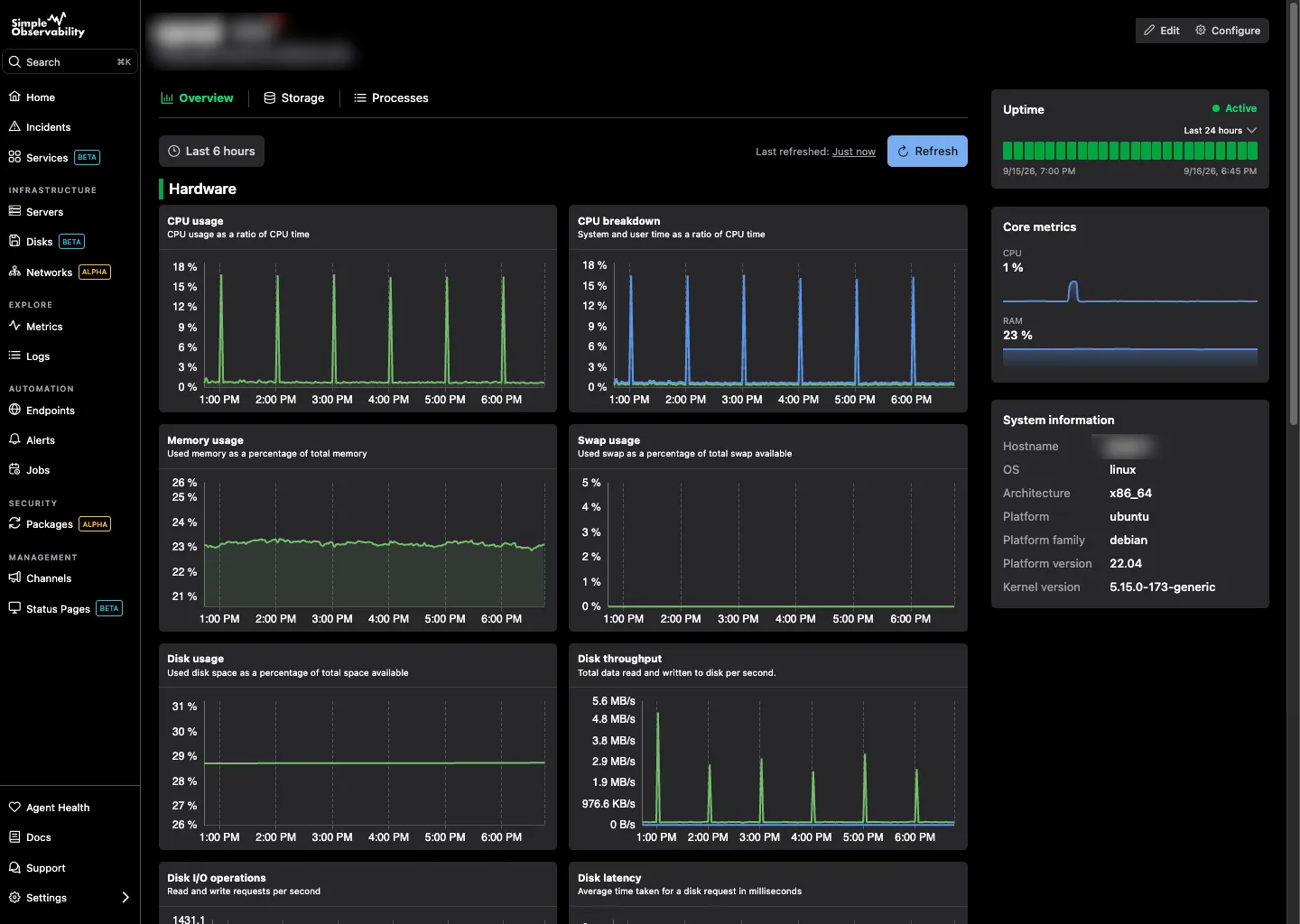
Run one command and get charts for CPU, memory, disk, and network on every server, ready out of the box. The agent detects services like NGINX and Apache, and you turn them on with a single toggle.
No credit card required
Automatic metrics dashboard
Features

Metrics without the setup

Everything you need to understand a server's load, collected automatically and ready the moment you open a host.

CPU
Per-core and average utilization, load average, and context switches. Spot saturation before it slows down your workloads.
Memory
Used, cached, and available RAM, plus swap activity. See how much memory is really in use and what is reclaimable.
Disk
Space and inodes per mount point, with read and write throughput per device. Catch full disks before they break a service.
Network
Throughput and errors per interface. Track bandwidth use and spot dropped packets across every NIC.
Auto-detected services
NGINX, Apache, PHP-FPM, and more are detected automatically. Toggle one on in the UI and its charts appear.
Zero configuration
Metrics start flowing the moment the agent connects. No scrape configs, no YAML, no dashboards to build.

Works with your entire stack

Simple Observability comes with dozens of built-in integrations for your favourite tools. Zero configuration required, just toggle and go.


CPU
Disk
Caddy
Caddy
Memcached
Memcached
Apache
Apache
Memory
Network
PHP-FPM
PHP-FPM
Apache logs
Apache logs
Journal logs
Journal logs
NGINX logs
NGINX logs
Windows Event logs
Windows Event logs
NGINX
NGINX
View all integrations
Setup

Install in one command

Run a single command on each server. The agent registers itself and starts sending metrics over HTTPS. CPU, memory, disk, and network charts appear within the first minute, with nothing to configure.

Linux
curl -fsSL https://simpleobservability.com/install.sh | sudo bash -s -- <SERVER KEY>
Windows
.\install.ps1 -ApiKey <SERVER KEY>

Frequently Asked Questions

What metrics does Simple Observability collect automatically?
CPU, memory, disk, and network for every server, with no configuration. The agent also detects common services like NGINX, Apache, Caddy, Memcached, and PHP-FPM. Toggle one on and its charts appear.
Do I need to build my own dashboards?
No. Every server ships with a ready-to-use set of charts. When you enable a detected service, its charts are added for you, so you get useful dashboards from the first minute without touching a config file.
How often is metrics data collected?
The agent collects fresh samples every minute and pushes them over HTTPS. Charts update with each new sample, and history is retained so you can compare current behavior against last week or last month.
Can I see metrics for my whole fleet, not just one server?
Yes. You can drill into a single host or compare servers side by side. The same charts are available per server and across the fleet, so you can spot outliers quickly.
What happens when a new service is installed on a server?
The agent keeps scanning running processes and listening ports. When it sees a supported service, the service appears in the UI. Toggle it on and its charts start filling in, with no agent restart and no config file.

See your metrics in minutes

Install the agent on each server and get prebuilt dashboards for CPU, memory, disk, and any service you enable. No charts to build, no config to maintain.

No credit card required
Instant setup