Cron monitoring with full server context.
Most cron monitors tell you a job failed. But why did it fail? Was the server out of memory? Did disk fill up? We show you the answer, because we monitor the server too.
No credit card required
Cron monitoring dashboard
Features

Cron monitoring with real context

Everything you need to track scheduled jobs, capture their output, and tie failures back to what was happening on the server at the time.

Full server context
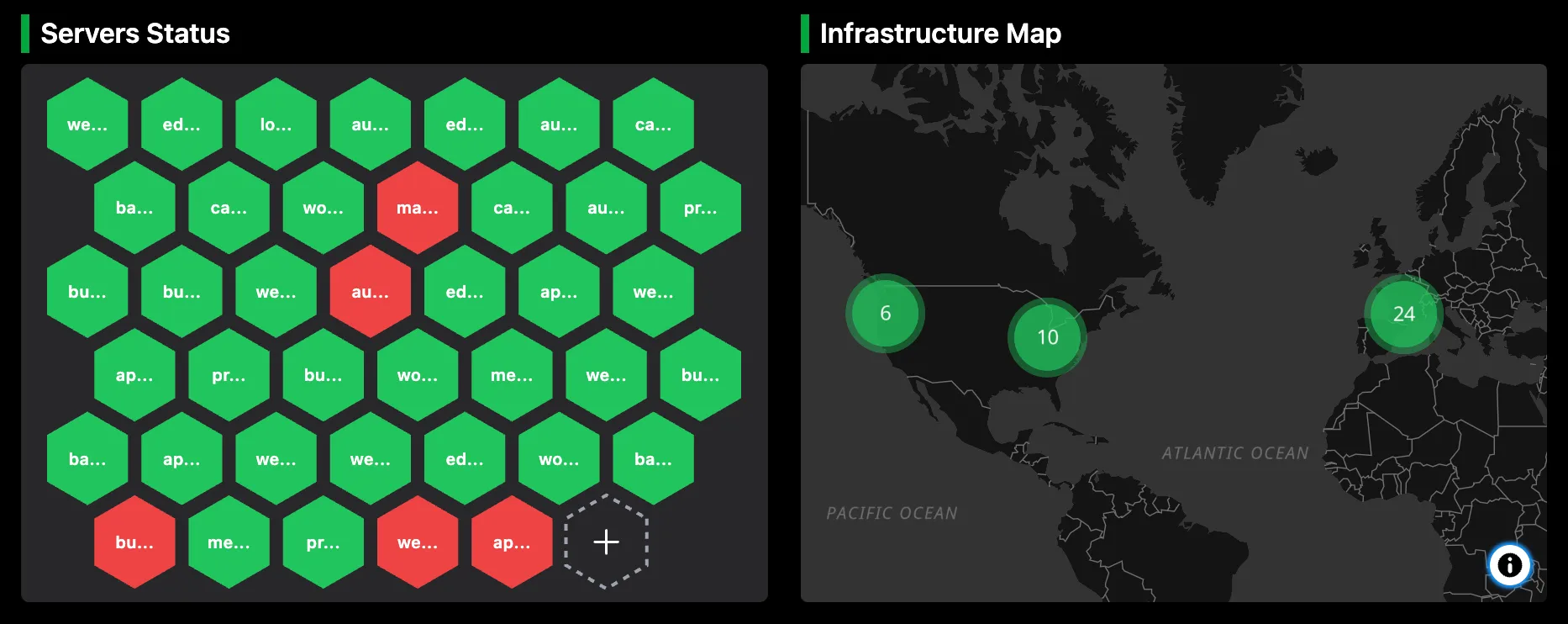
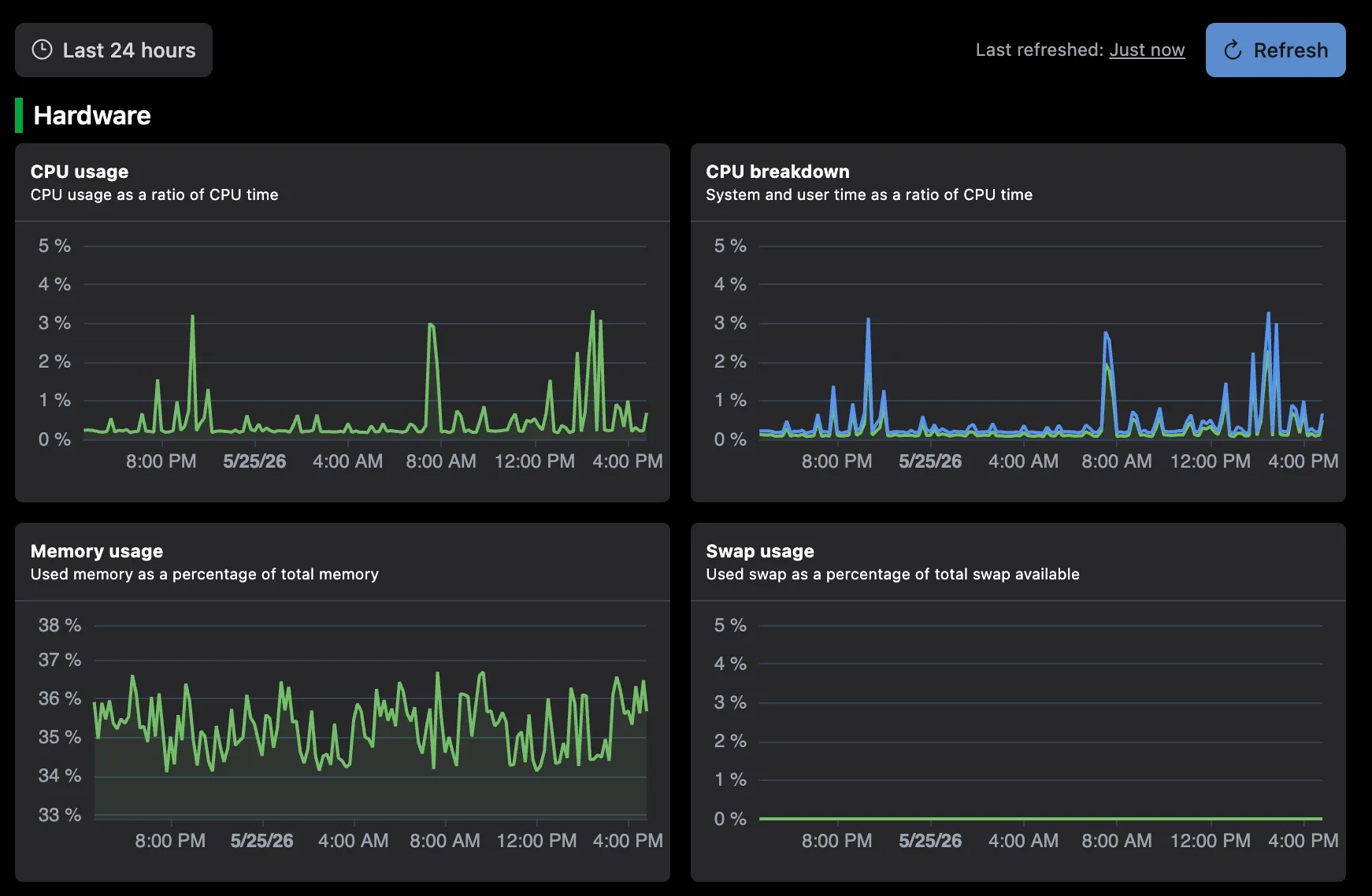
No more juggling separate tools. See scheduled tasks alongside CPU, memory, and disk usage in the same dashboard, so you know what was happening on the box when a job failed.
Output logs
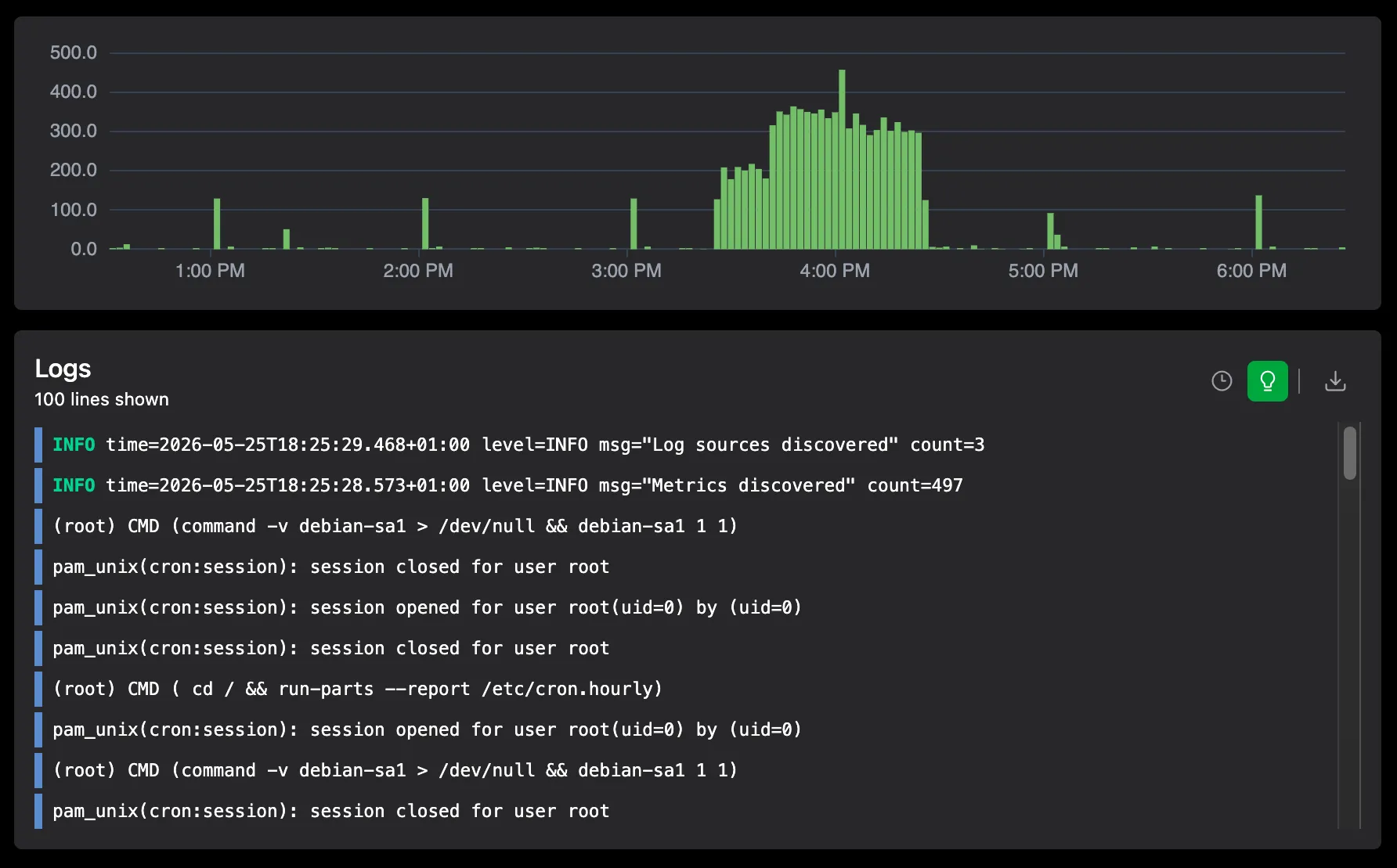
Capture stdout and stderr from your running jobs. If a task fails, read what it printed without logging into the server or digging through files.
Run, fail, or miss
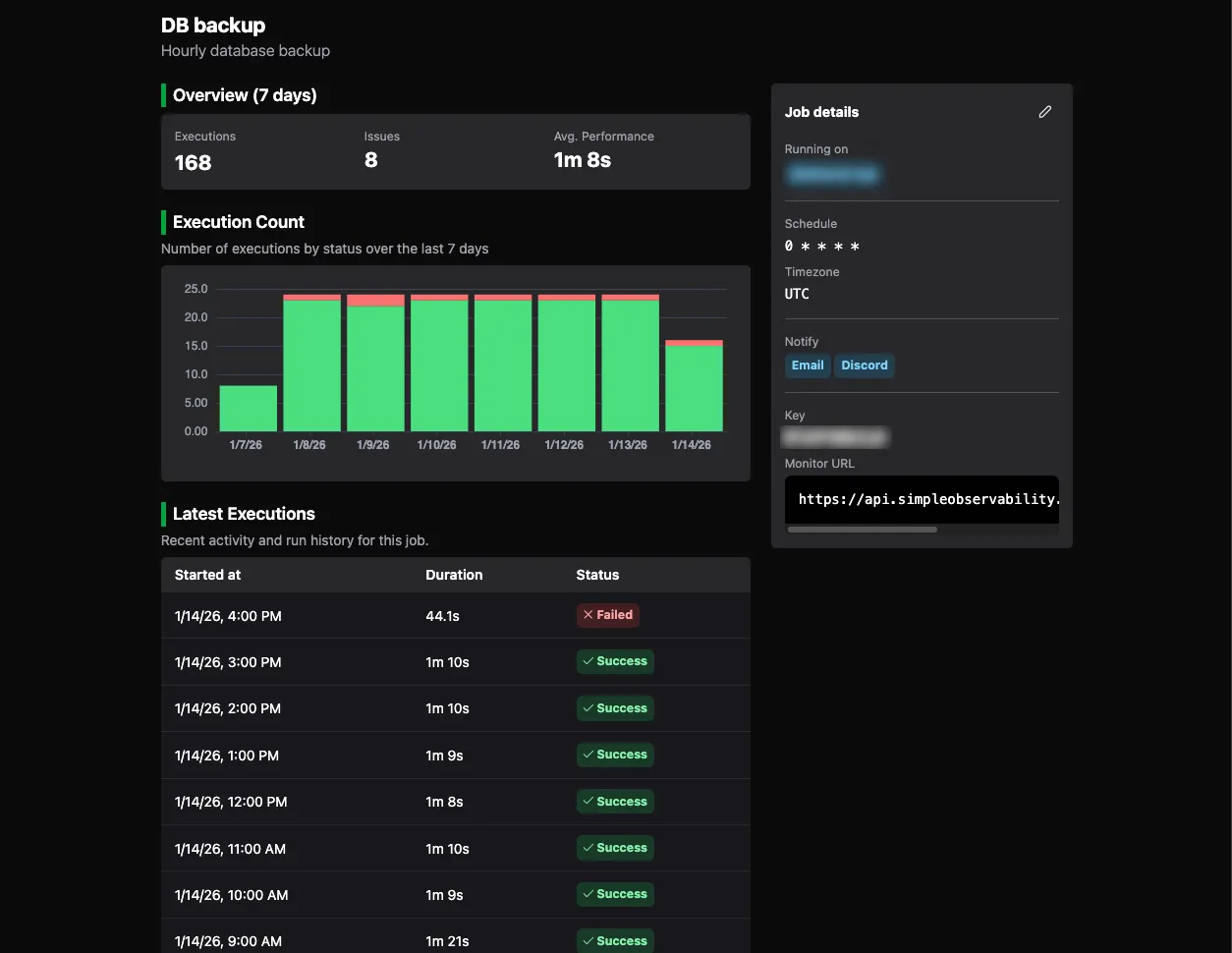
Track every outcome: success, failure, or missed runs. Full execution history at a glance, no log diving required.
Duration trends
Watch how long jobs take over time. Catch slowdowns and stuck processes before they become outages.
Alerts that make sense
Slack, Discord, or email. Cron alerts live alongside server alerts, so you get the full picture in one place.
HTTP only, no SDK
Add a few curl calls to your existing scripts. No SDKs, no daemons, no runtime dependencies. Zero overhead on your jobs.
Setup

Integrate in 30 seconds

Two ways to integrate. If the agent is already on the server, wrap your command with simob run to get status reporting and output capture automatically. Prefer to keep things HTTP-only? Add a few curl calls to your scripts. Both approaches work with any scheduler.

With the agent
# Wraps your script, reports status, and captures output
0 0 * * * simob run <JOB KEY> --capture-output -- /path/to/backup.sh
Without the agent
MONITOR_URL=<MONITOR URL>
set -e
trap 'curl "$MONITOR_URL?state=fail"' ERR
curl "$MONITOR_URL?state=run"
# Your existing script logic here...
curl "$MONITOR_URL?state=complete"

Frequently Asked Questions

How does cron monitoring work with Simple Observability?
Two ways. If the agent is installed, wrap your command with simob run and it reports start, success, and failure for you. Otherwise, add a few curl calls to your scripts to ping a monitor URL. If a job does not check in on schedule, we mark it as missed and alert you. Everything is configured through the UI, no YAML files or manual wiring.
Do I need to install an agent to monitor cron jobs?
No. Cron monitoring works over plain HTTP with curl calls, so there is no SDK, daemon, or runtime dependency. If you do have the agent installed, simob run makes it even simpler: it wraps your command, reports status, and can capture stdout and stderr automatically.
What happens when a cron job fails?
You get an alert in Slack, Discord, or email, your choice. The alert sits alongside your server alerts, so if the failure was caused by resource exhaustion or a system error, you see that context in the same place.
Can I see the output of my cron jobs?
Yes. If you use simob run with the --capture-output flag, stdout and stderr are sent to the dashboard automatically. If you use curl instead, you can still pipe output to the monitor URL. Either way, you read what a failed job printed without logging into the server.
How do I know if a cron job was missed?
Each monitor has an expected schedule. If a job does not check in within its expected window, it is marked as missed and you get alerted. You can see the full history of runs, failures, and misses at a glance.

Start monitoring your cron jobs in minutes

Wrap your commands with simob run or add a few curl calls, and get execution status, duration, and output logs alongside your server metrics. No SDK, no daemon, no extra tool to run.

No credit card required
Instant setup